Skip to content

Publish the recipe for every coffee you sell.

Write it in the Shopify admin and show it in a tab next to each coffee’s details, or wherever you like.

Add to ShopifyOn the Shopify App Store (opens in a new tab)

Start free. Pro is $24 a month, with a 14-day trial. See plans

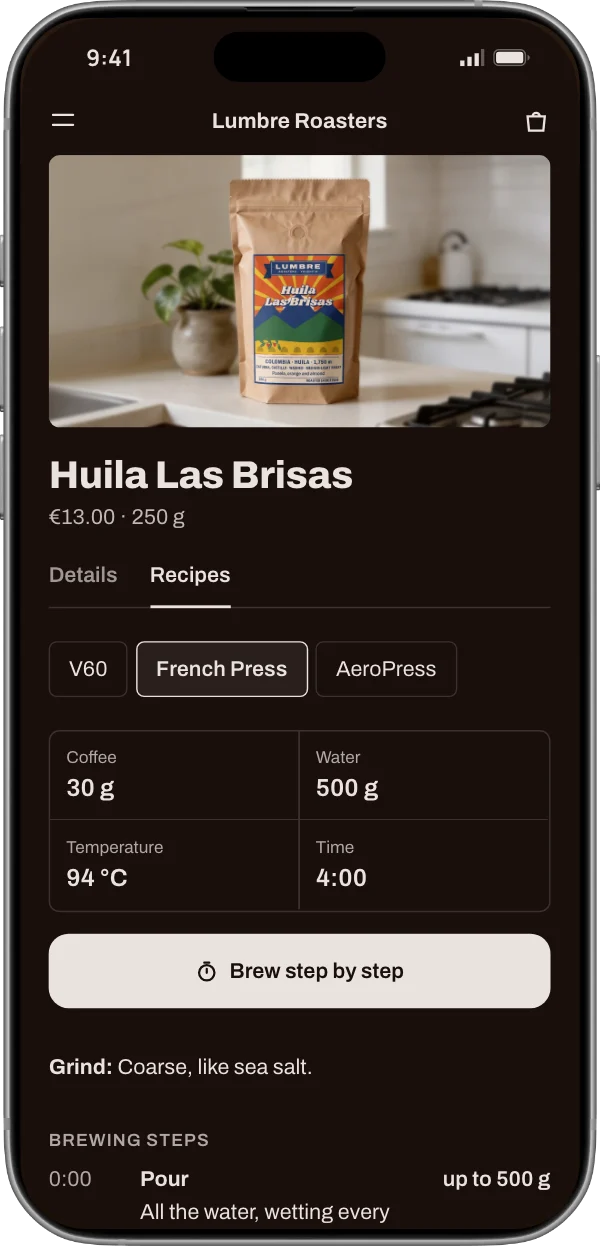
A phone showing the Huila Las Brisas product page on Shopify, in the demo store, with a tab per method and its French Press recipe.
On Pro, in our demo store.
  • 11 brewing methods
  • No code on the product page
  • App text in English and Spanish

You know how to brew it. Your customer doesn’t.

You roast it and cup it, but the bag reaches your customer’s kitchen without the recipe.

The description talks flavor

It gives the origin, the process and the tasting notes, but not how much coffee, how much water or how hot.

“So how do I brew this one?”

Your customer ends up using the same generic recipe for everything, but only you know how to tune it to bring out each coffee’s best notes.

The recipe gets lost

You tell them in person or jot it on a scrap of paper, but by the next bag they’ve forgotten it.

A base recipe or a custom one.

Write it once and use it on several coffees, or give one coffee its own, all from the Shopify admin.

  1. Install the app from the Shopify App Store.
  2. From the theme editor, add the recipes block to your coffees’ product pages.
  3. Write the recipe from a template for any of the 11 methods, or from scratch.
  4. Choose which coffees it goes on.
  5. Publish it. Until then your store doesn’t change, and you can see how each coffee will look first.
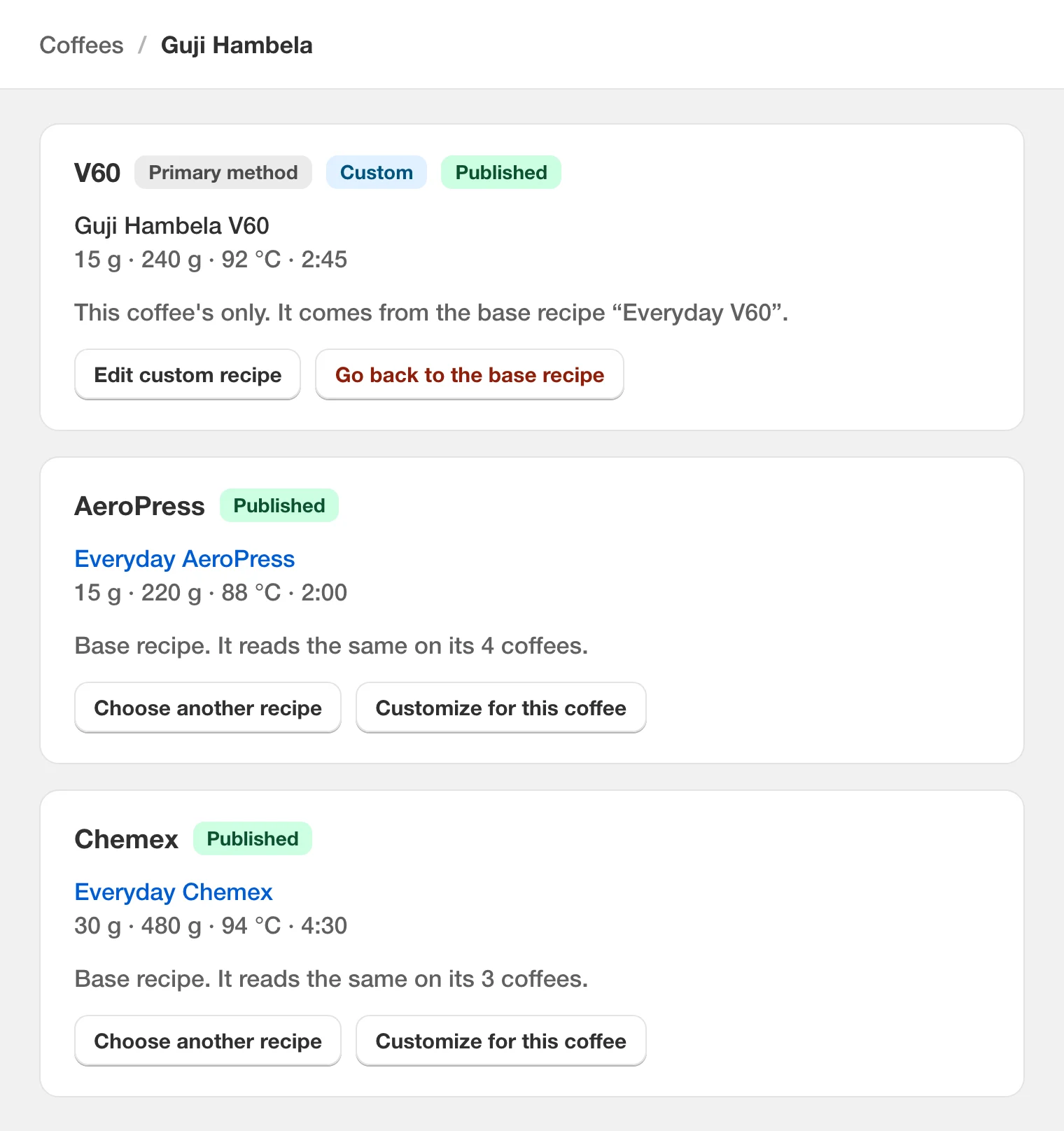
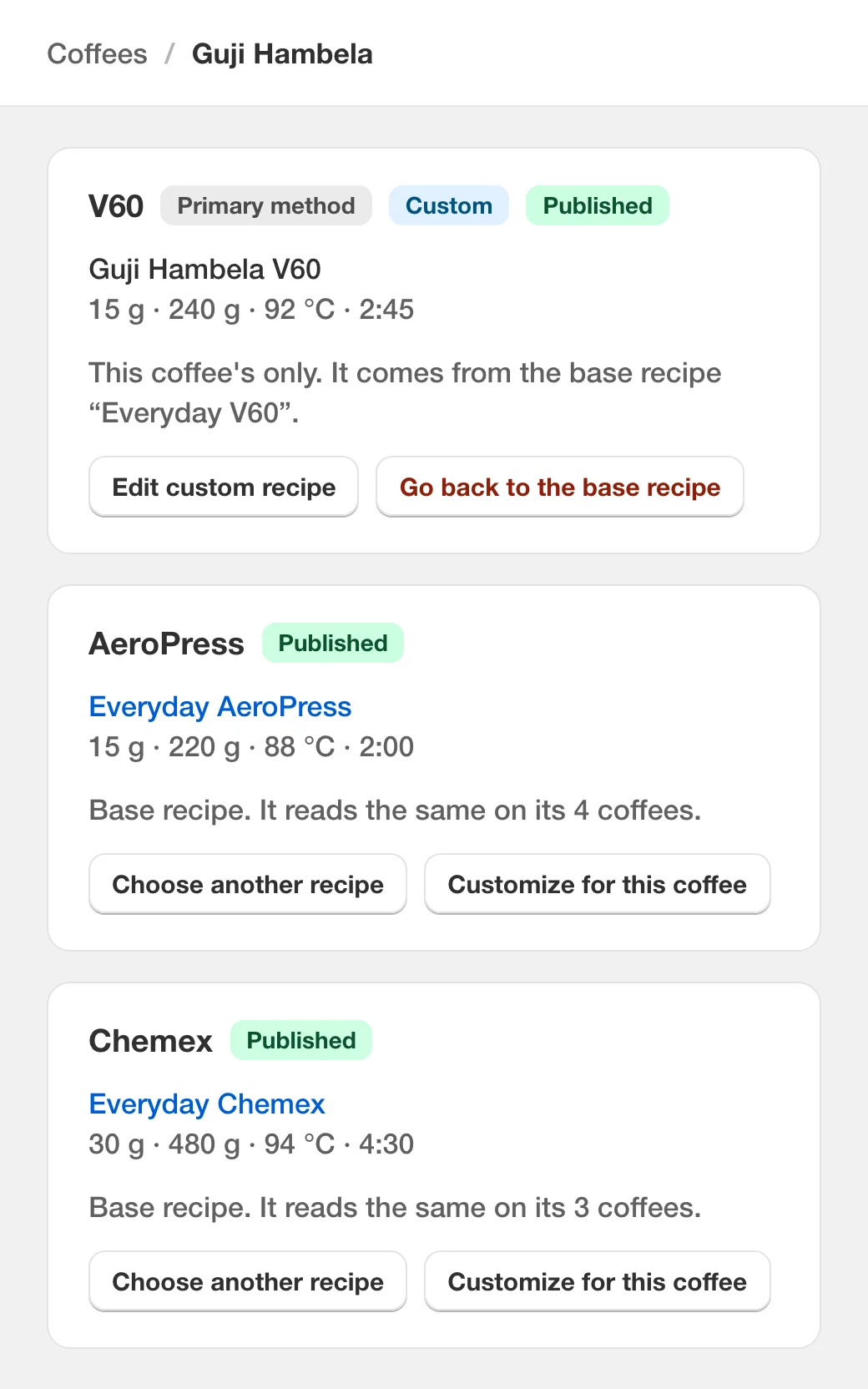
The Coffee Master editor in the Shopify admin: the Guji Hambela page with its custom V60 and two published base recipes, AeroPress and Chemex.
The recipe editor, in our demo store’s admin.

Recipes that look like the rest of your store.

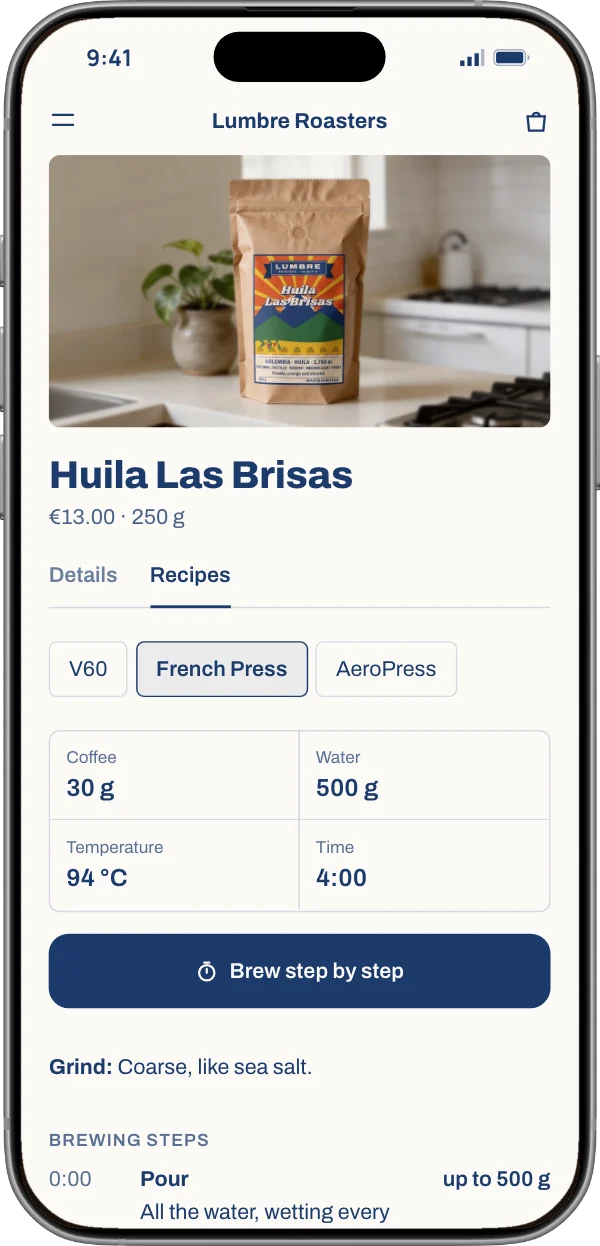
They’re ready to use with no design work, because they pick up your theme’s fonts, colors and buttons.

Plan

A tab per method and the “Brew step by step” button.
The Coffee Master credit is optional.

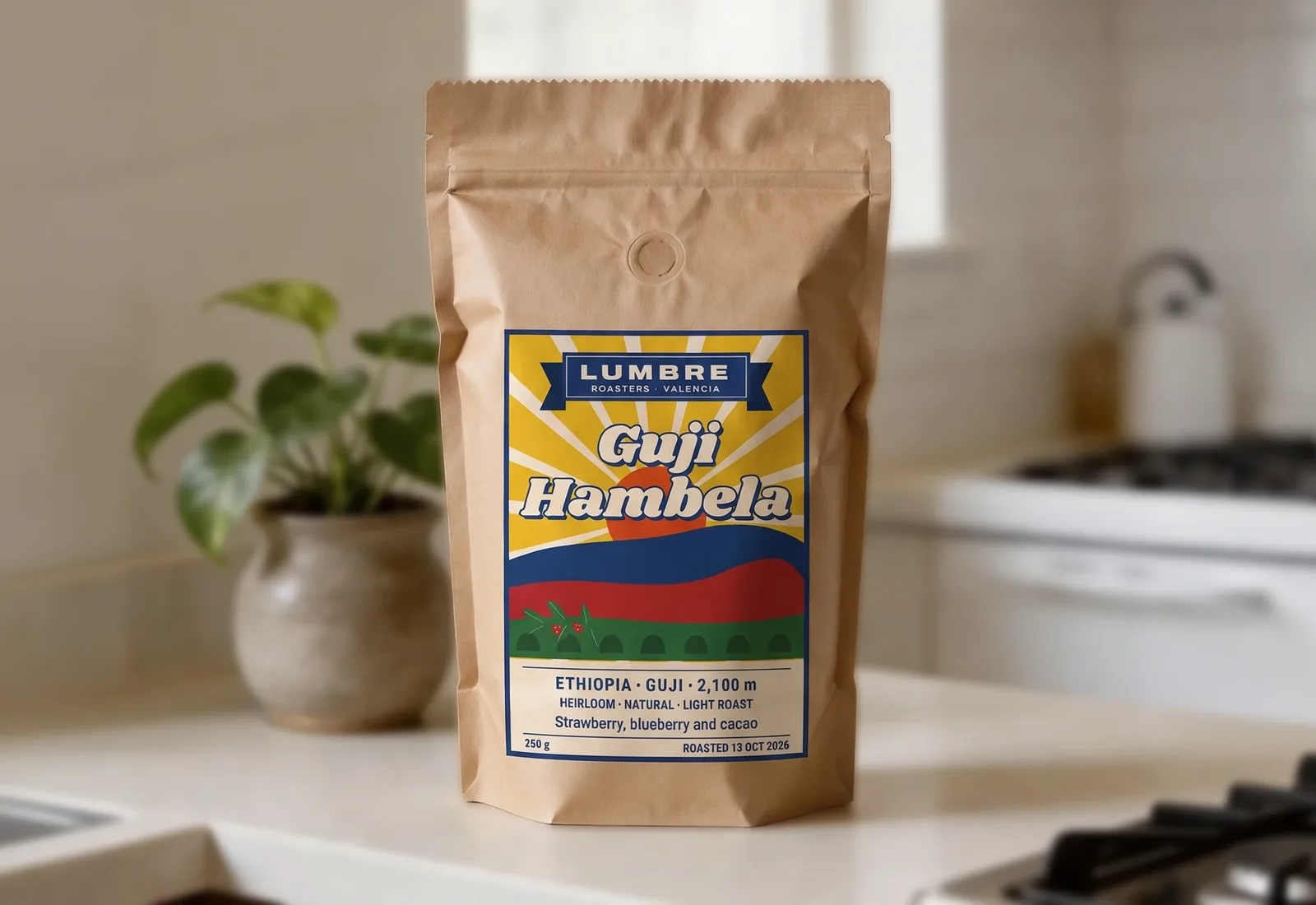
Lumbre Roasters is our demo store. The coffee and the recipe are examples.

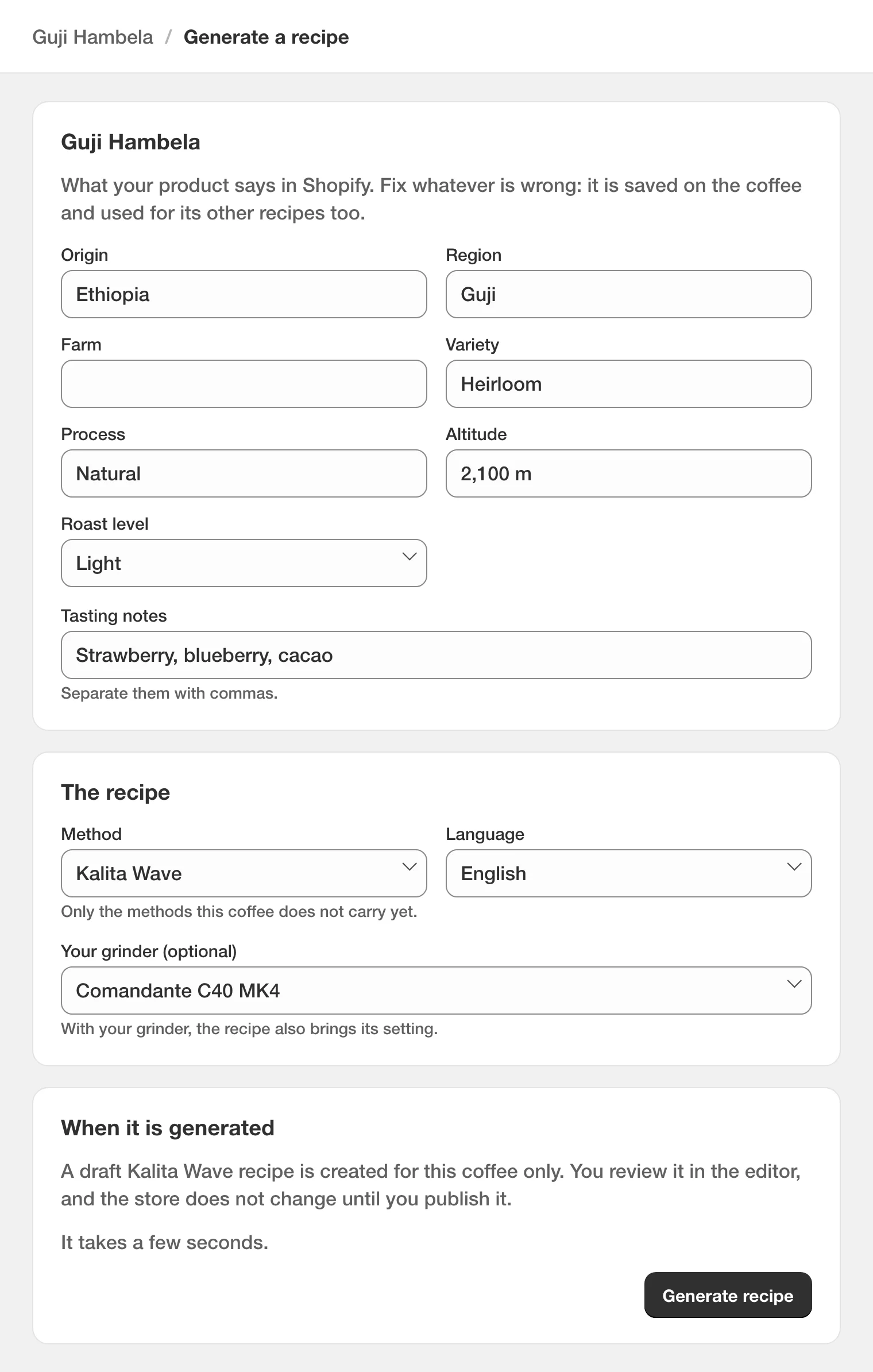
The app reads your page and suggests a recipe.

On Pro, the app pulls the coffee’s origin, process and roast, you pick the method, and a few seconds later there’s a draft recipe in the editor. You tweak it however you like.

  • 100 recipes a month
  • 10 during the 14-day trial
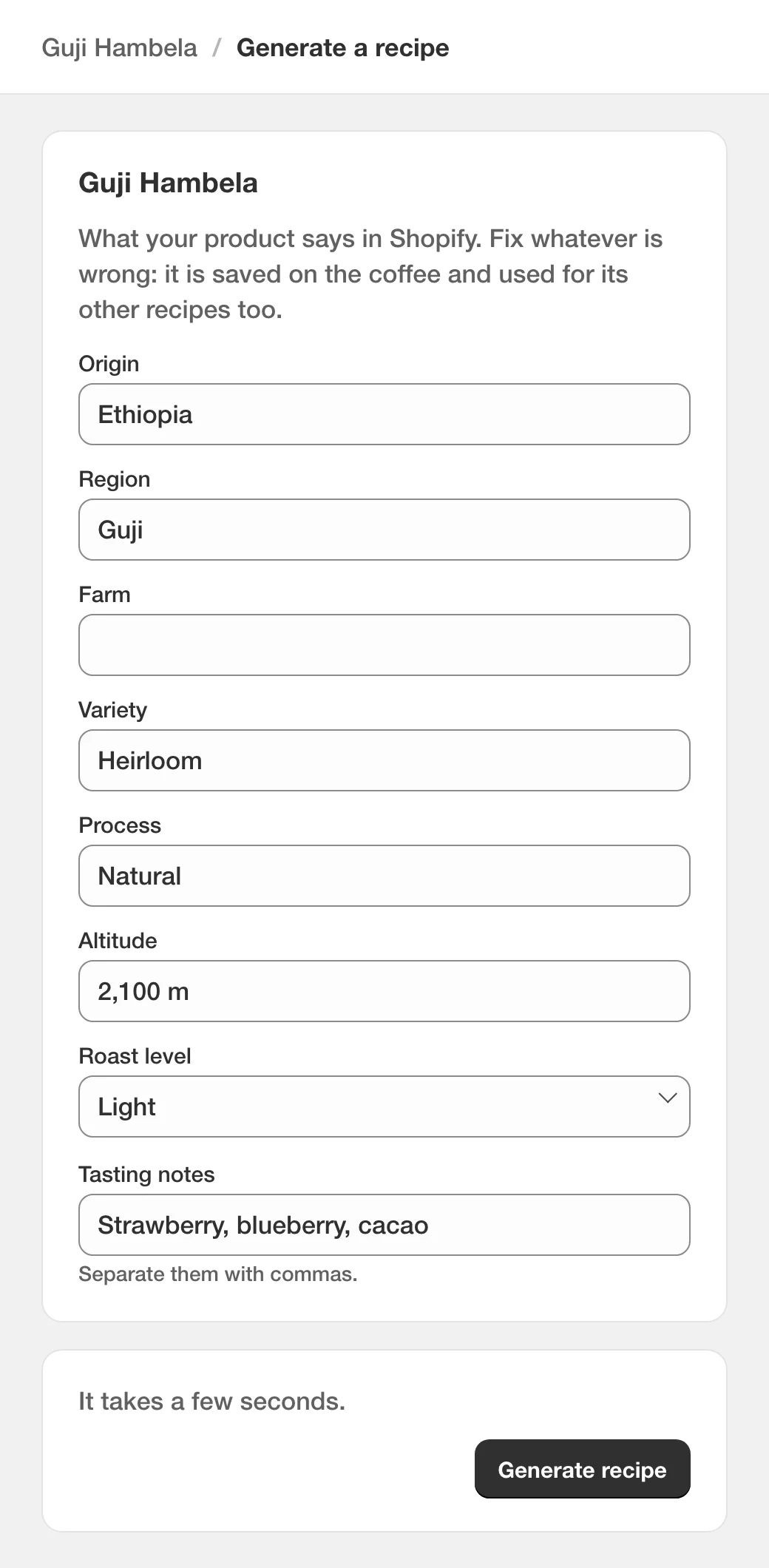
The “Generate a recipe” screen for the Guji Hambela in the Shopify admin, with the origin, process, roast and notes its product page already gave.
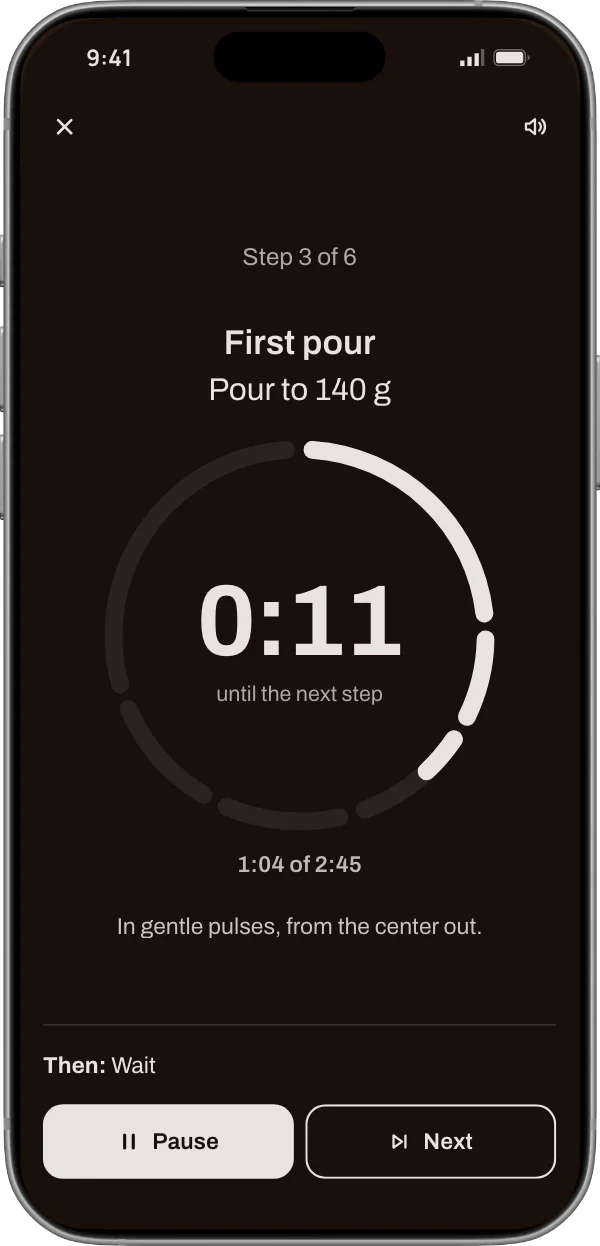
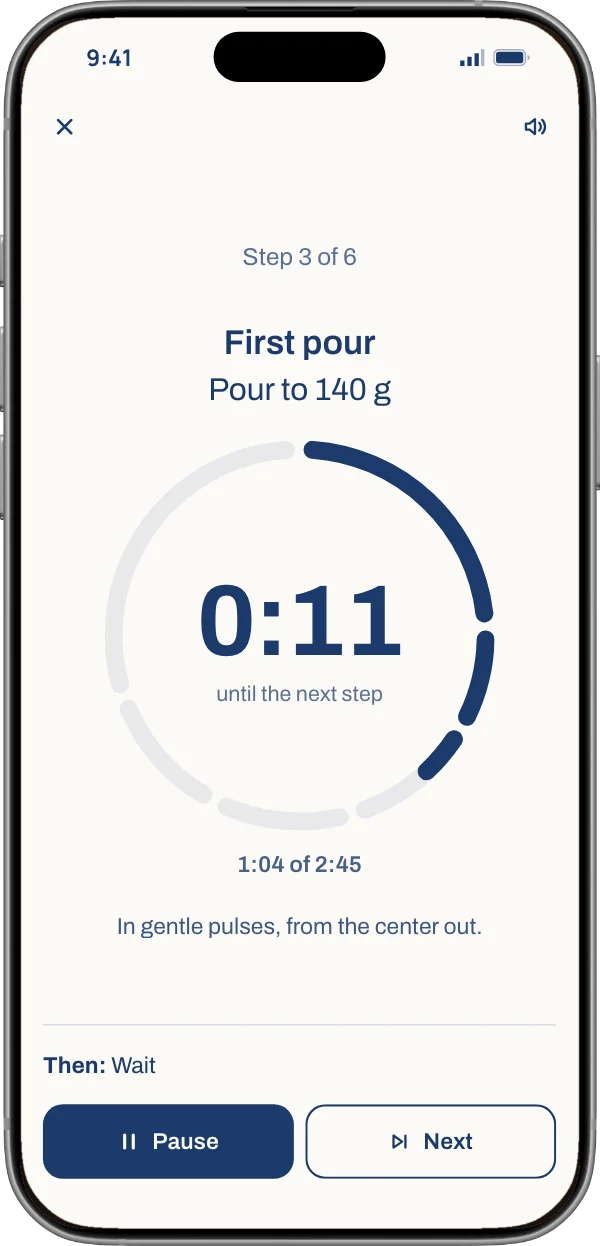
The guided timer on a phone, over the demo store’s Shopify product page: step 3 of 6, pour to 140 g, 11 seconds to the next step.

Your customer brews along, kettle in hand.

On Pro, the “Brew step by step” button opens a guided timer on the product page. It walks your customer through the whole brew and gives a heads-up just before each step ends, so they’re ready for the next one.

Nothing for your customer to install or sign up for.

The recipe goes on the bag and in the order email.

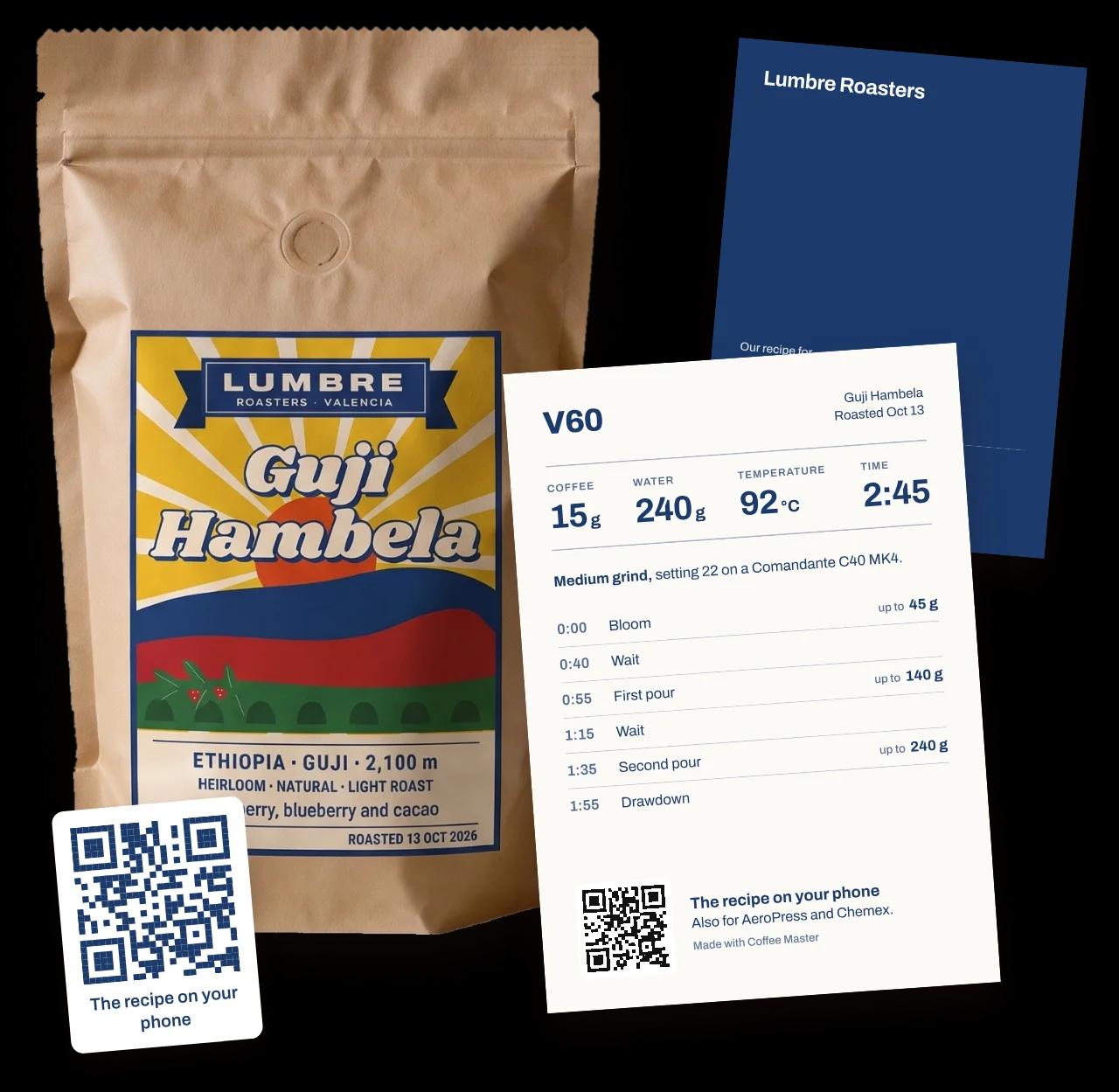
On Pro, every coffee gets a QR code that opens its recipe in your store. You can put it on the bag or on a card.

  • See where each scan comes fromScans from the bag, a card, the email or Instagram each get counted on their own.
  • Recipe cards to printFour to a sheet with crop marks for your own printer, or one per page with bleed for a print shop. The QR on each card always opens the recipe that’s live.
  • Images for stories and postsThey’re made from the published recipe and carry your store’s branding.
  • The recipe in the order emailThe app gives you a few lines of code for Shopify’s order confirmation email. You copy and paste them, and see how it looks with your own coffees first.

QR codes you’ve already printed keep opening the recipe, and keep counting scans, even if you go back to Free.

The Guji Hambela bag with its QR sticker and its printed V60 recipe card, in the demo store’s navy and cream.

A recipe per coffee, free. One per method on Pro.

Pro pays off when one coffee needs both a V60 and an espresso recipe, or when the recipe has to ship printed with the bag.

Free

Your recipes, on all your coffees

$0a month

  • One recipe per coffee, with every step on the page.
  • Recipes you write, from scratch or from templates for 11 methods.
  • Your own recipe library, to reuse on other coffees.
  • The “Made with Coffee Master” credit under the recipe.
Pro

For the coffee that needs more than one method

$24a month

or $240 a year2 months free

The first 14 days are a free trial, with 10 generated recipes for your coffees.

  • Recipes for several methods per coffee, each in its own tab.
  • A guided timer, opened from the “Brew step by step” button.
  • Recipes generated from your product page, up to 100 a month.
  • One QR per coffee, with scans counted by source.
  • Recipe cards to print, at home or at a print shop.
  • Images for stories and posts, with your branding.
  • The recipe in the order email, plus a page with all your recipes.
  • The “Made with Coffee Master” credit, optional.

If you go back to Free, each coffee keeps the first recipe you published, and the rest stay saved in your admin.

Add to ShopifyOn the Shopify App Store (opens in a new tab)

Installing it is free. If you want Pro one day, you switch it on from inside the app, with nothing to reinstall.

What you’d ask before you install.

Have another question? .

What is Coffee Master for Shopify?

A Shopify app for coffee roasters. You write each coffee’s recipe in the Shopify admin, and it shows in a tab next to the product details, in your theme’s fonts and colors.

Will it work with my Shopify theme?

It works with any Online Store 2.0 theme (those are the ones that support app blocks). If the block doesn’t show up in the theme editor, send us your theme’s name and we’ll take a look.

Do I need to edit my theme’s code?

Not for the product page. The only thing you paste, if you’re on Pro and want to send the recipes in the order confirmation email, is a few lines of code the app gives you.

Do I have to write a recipe for every coffee?

Not necessarily. Coffees that brew the same way share a base recipe. For the rest, you can create their own custom recipes.

How much does Coffee Master for Shopify cost?

The Free plan costs $0 a month. Pro is $24 a month or $240 a year (two months free), and it starts with a 14-day trial that includes 10 generated recipes. Payment goes through Shopify, in your own currency at the day’s exchange rate.

Does Coffee Master use AI for the recipes?

Only on Pro, and only if you want it to. It helps put a recipe together from the coffee’s origin, process and roast, and you review and edit it before you publish.

What happens to my recipes if I go back to Free?

Your recipes stay saved. Pro stays on until the end of the period you’ve already paid for. After that, each coffee keeps the first recipe you published on its page, and the rest stay in your admin. Printed QR codes keep working and counting scans, and the “Made with Coffee Master” credit comes back.

Which brewing methods have templates?

Eleven: V60, Chemex, AeroPress, Hario Switch, Kalita Wave, Origami, Orea, Tótem, French Press, Moka Pot and Espresso.

Which languages do the recipe’s labels come in?

The text the app adds, like the button and the Coffee and Water labels, comes in English or Spanish. You write the recipe yourself, in whichever language you like.

Start with your best seller.

Add to ShopifyOn the Shopify App Store (opens in a new tab)

If it’s not for you, take the recipe down. No harm done.

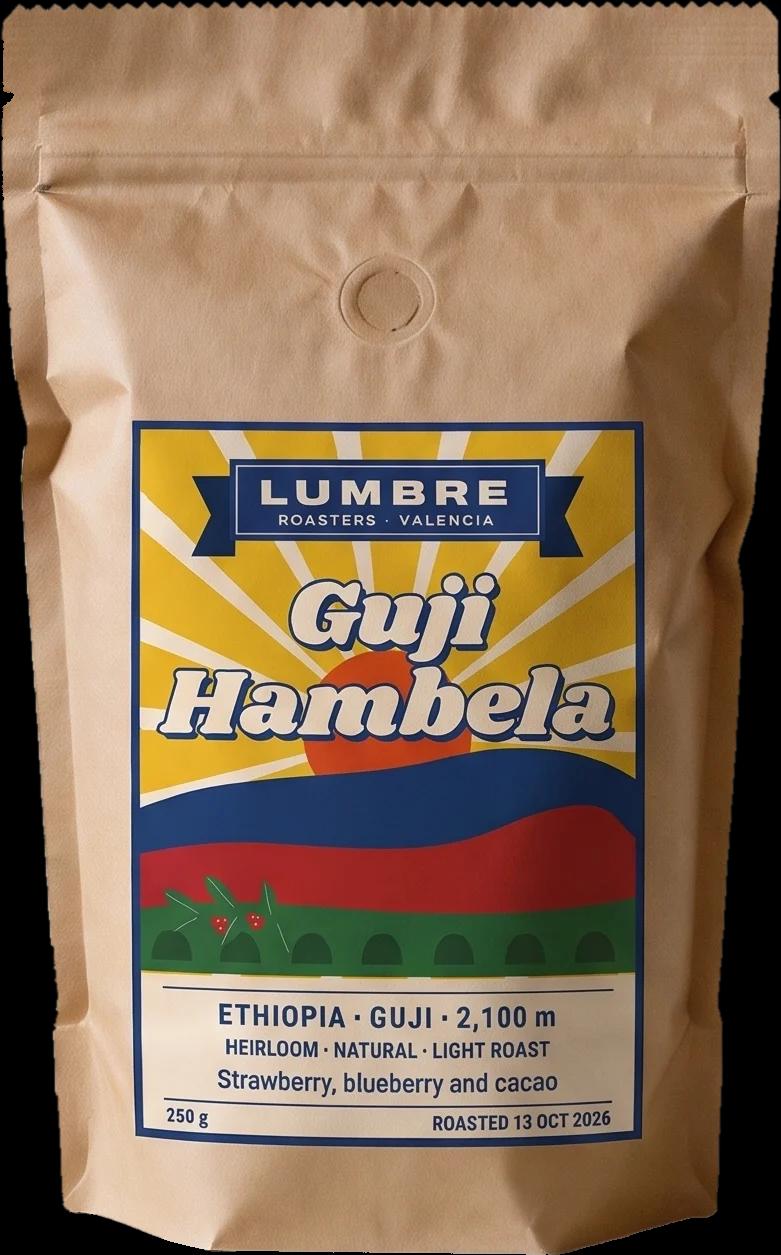
The demo store’s Guji Hambela bag.